- EaseUS Freeware
- Free Data Recovery Software
- Free Backup Software
- Free Partition Manager
Updated on 2025-03-06
Applies to:
EaseUS RecExperts
The primary reason for this issue is that after completing the payment, users need to manually activate the product using the provided activation code to unlock the Pro version. Without this step, the software remains in trial mode, limiting the saved video length。
To fully activate the product and save complete recordings, follow these steps:
1. Return to the Main Interface:Once you have completed your recording, go back to the main interface of the software.
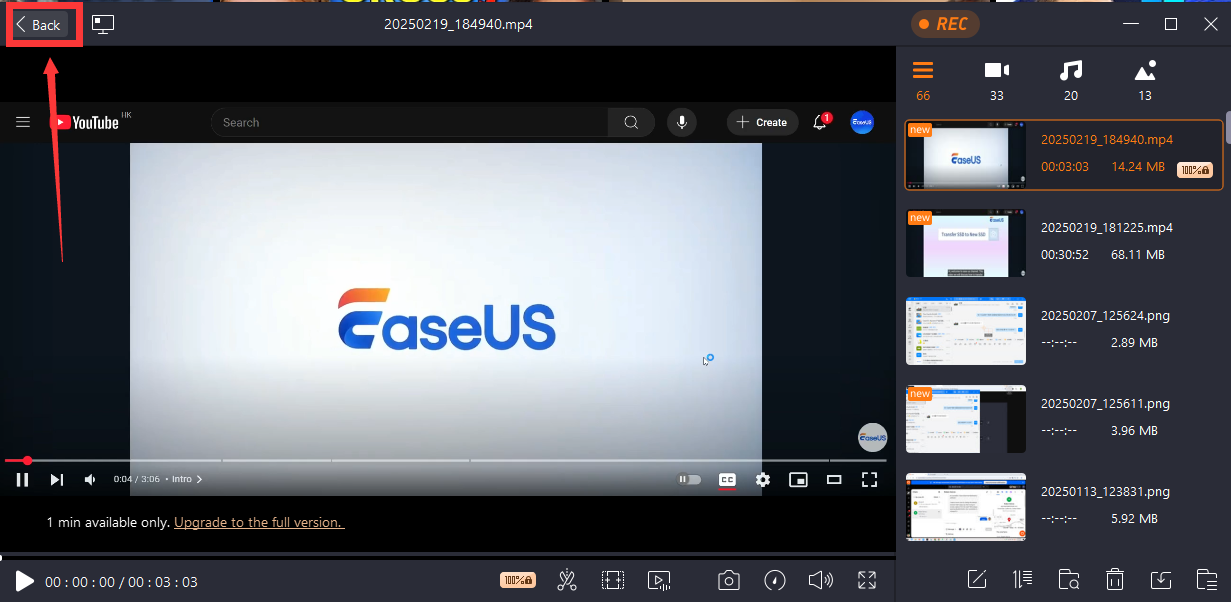
2. Activate the Pro Version:
•Locate and click on the "Upgrade to Full Version" button.
•Enter the activation code you received after completing the payment.
•Click on "Activate."
3. Access Your Recordings:
•After successful activation, click on the button at the bottom-left corner to return to the recording playlist.