- EaseUS Freeware
- Free Data Recovery Software
- Free Backup Software
- Free Partition Manager
Updated on 2025-10-28
Applies to: EaseUS Data Recovery Wizard

When you are running a scan on your NAS device, but it does not finish it for a long time, the most commonly known cause is the computer is connected to the network via WiFi. Therefore, we recommend that you use a network cable, category 6 cable (CAT6) and higher, with a transmission speed of 1000m/s), which can significantly improve the scanning speed when the computer is connected to the Internet via a Cable instead of Wi-Fi.
But you may ask, how can I tell whether this is a category 6 cable or not?
Nowadays, there are several types of network cables in the market: CAT5, CAT5E, CAT6 and higher. Just look at the logo on the cable. Each type of cable will be marked with a corresponding logo on itself. The following picture is for your reference.

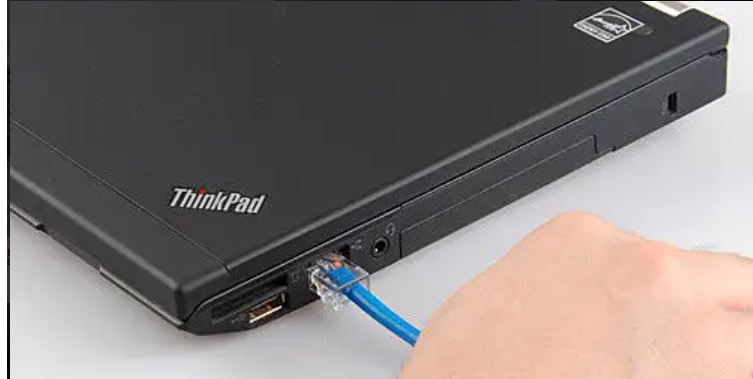
When you have a CAT6 or higher cable at hand, you can just plug in it into the slot of your computer and rescan the NAS device with EaseUS Data Recovery Wizard.
When you are running a scan on your NAS device, but it does not finish it for a long time, the most commonly known cause is the computer is connected to the network via WiFi. Therefore, we recommend that you use a network cable, category 6 cable (CAT6) and higher, with a transmission speed of 1000m/s), which can significantly improve the scanning speed when the computer is connected to the Internet via a Cable instead of Wi-Fi.
But you may ask, how can I tell whether this is a category 6 cable or not?
Nowadays, there are several types of network cables in the market: CAT5, CAT5E, CAT6 and higher. Just look at the logo on the cable. Each type of cable will be marked with a corresponding logo on itself. The following picture is for your reference.
When you have a CAT6 or higher cable at hand, you can just plug in it into the slot of your computer and rescan the NAS device with EaseUS Data Recovery Wizard.
Do you need specialized Manual Data Recovery Services?
You may need further help for tough data loss situations like reformatting drive, RAW disk, partition loss, repartition failures, system boot error and virtual disk corruption. Consult with EaseUS Data Recovery Experts for cost-efficient one-on-one manual recovery service. They could offer the following services after FREE diagnosis:
1. Repair corrupted RAID structure
2. Unformat the drive which was formatted by mistake
3. Repair damaged RAW drive that needs to be reformatted (Bitlocker encrypted drive is also supported)
4. Repair unbootable Windows operating system
5. Recover/repair lost partition and reparitioned drive (the one that cannot be recovered by software)
6. Repair corrupted virtual disk file (.vmdk, .vhd, .vhdx, etc.)
Activate Live Chat Call Us: 1-800-992-8995
Was this article helpful?