- EaseUS Freeware
- Free Data Recovery Software
- Free Backup Software
- Free Partition Manager
Updated on 2024-12-10
This article applies to:
EaseUS Data Recovery Wizard for Windows
Download and Activation
Users of this product always choose to evaluate Free or Trial first and order a full license only if they can find desired data after the test.
Both Free and Trial is able to show you what a full license can recover. The difference between the 2 editions is that free version allows you to save 2GB files before upgrading to a full license, for a better validation of the recovery quality. However, trial can only show you what files we can find after a scan, without any ability to actually save a file.
We offer 2 activation methods:
Notes:
If you want to move the license code from old machine to new one, please follow the link below to reset the license code. After that, you can re-activate the software on the new machine.
https://www.easeus.com/support-center/code/reset.html
Online Activation
The Activate icon can be easily found either in the scan result page or home page of the product. You just need to enter your code formed by 25 letters/digits received after placing the order, and then click activate to transfer trial/free to a full copy and start saving lost data.
The screenshots of the activation window:

Offline Activation
If the computer is cut off internet, or you cannot activate the software with online activation method, please follow the tutorial below to activate the software with offline method.
Here are the steps.
1. Open the installation folder of Data Recovery Wizard, and find the folder config. Normally the path is C:\Program Files\EaseUS\EaseUS Data Recovery Wizard\config.
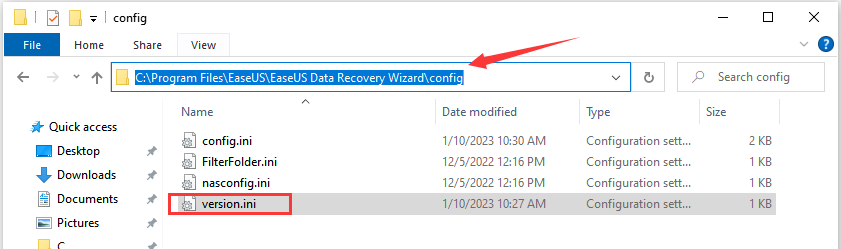
2. Find the file version.ini and open it with Notepad.
3. Change ShowAd = -1 into ShowAd = 0, add a line offline=1 as shown in the screenshot, then save the changes.
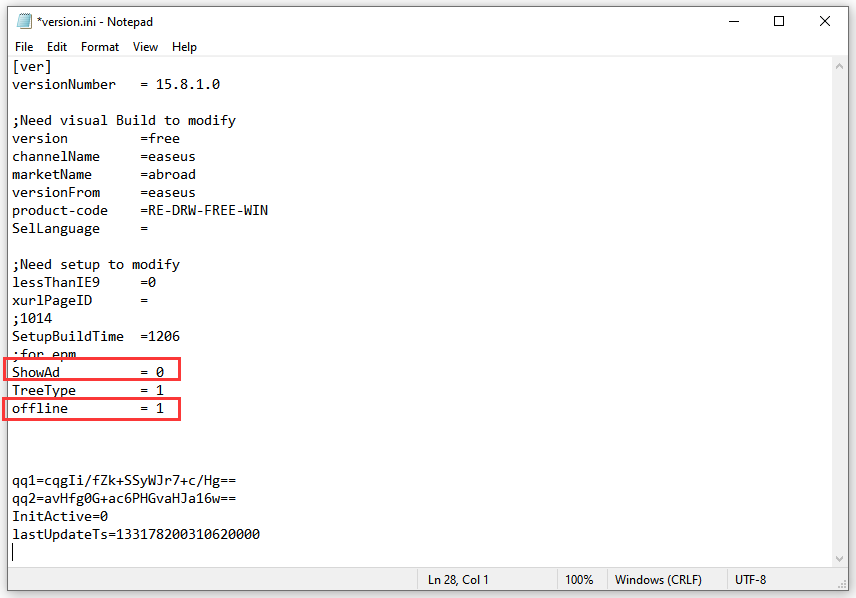
4. Disable the Internet access of this computer.There are 2 methods of disable the Internet access.
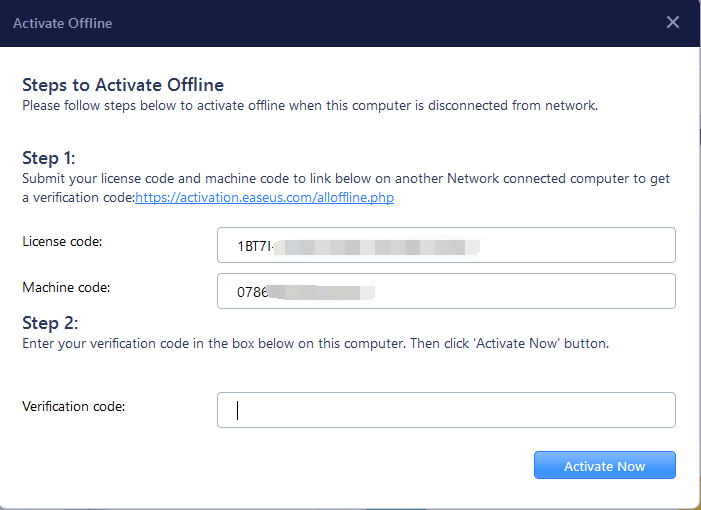
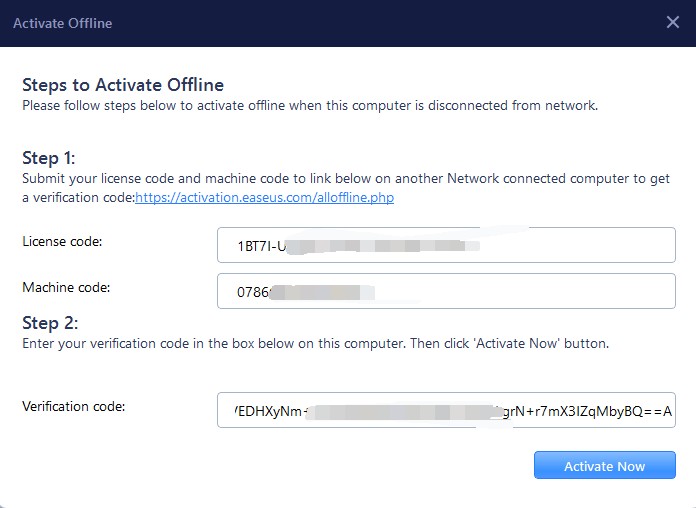
6. Enable the Internet connection, or use another networked computer. Then visit this link to generate the verification/activation code by copying the license code and machine code.
https://activation.easeus.com/alloffline.php
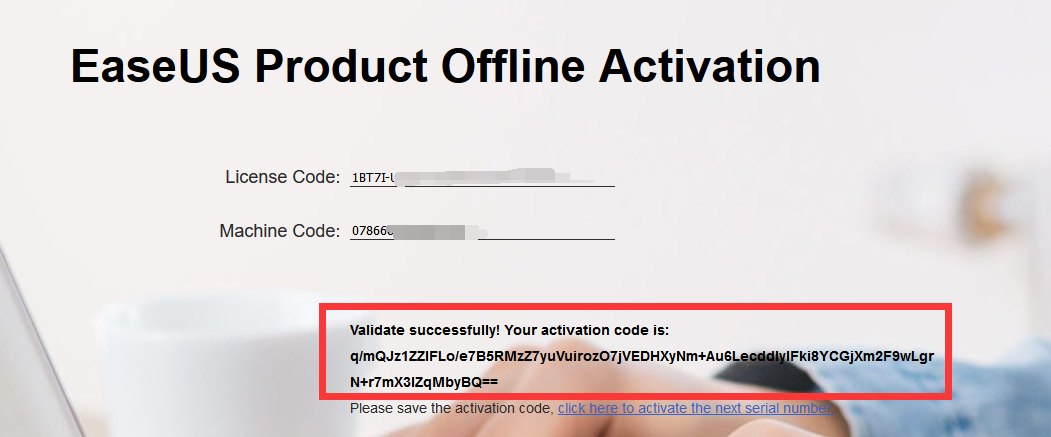
7. Copy the verification code in the software and complete the activation process.
Notes:
Offline Activation only works for 16.0 and older versions. Visit here to download the old version.Here are the steps.
1. Open the installation folder of Data Recovery Wizard, and find the folder config. Normally the path is C:\Program Files\EaseUS\EaseUS Data Recovery Wizard\config.
2. Find the file version.ini and open it with Notepad.
3. Change ShowAd = -1 into ShowAd = 0, add a line offline=1 as shown in the screenshot, then save the changes.
4. Disable the Internet access of this computer.There are 2 methods of disable the Internet access.
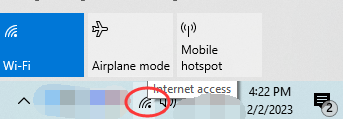
- 1) Turning on Airplane Mode
-
Click your network connection which can be located in the taskbar next to the clock, usually at the bottom of the screen. To temporarily prevent your PC from connecting to the internet, please click the Airplane mode tile.
- 2) Disabling the Network Adapter
-
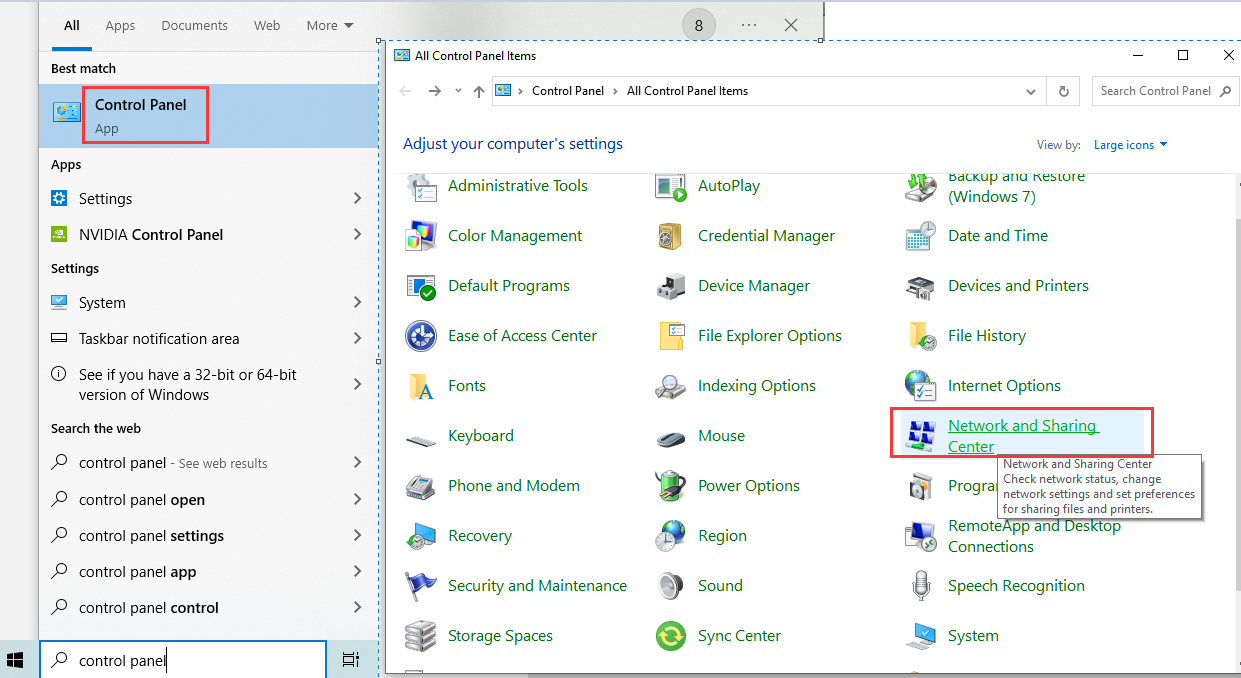
1. Open Control Panel, and navigate to Network and Sharing Center.
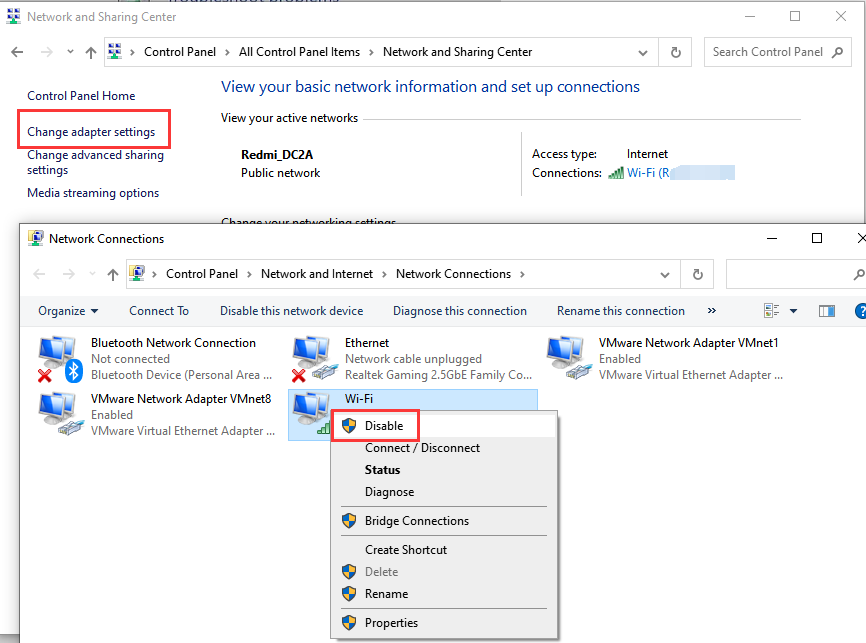
2. Click Change adapter settings on the left side, then right-click the adapter you want to disable. A menu will expand. Choose Disable.
6. Enable the Internet connection, or use another networked computer. Then visit this link to generate the verification/activation code by copying the license code and machine code.
https://activation.easeus.com/alloffline.php
7. Copy the verification code in the software and complete the activation process.
Note:
It's better to enter all the codes with copy-paste, as manually typing sometimes will result in Invalid code due to confusion between I and 1, 0 and O etc.
Upgrade
All licenses of this product are entitled to get upgrade freely as long as they are not expired. Whenever there is a new version available, full license owners only needs to download a latest trial/free version and enter the code again to enjoy all improvements of the latest version without any additional charge.
Was this article helpful?